
 English
 Tiếng Việt

1
On the Dashboard screen, select the Overview tab.
- Provides an overview of the Merchant (MC) and transaction fluctuations across all MC services, displayed by Partner corresponding to the user's department permissions.
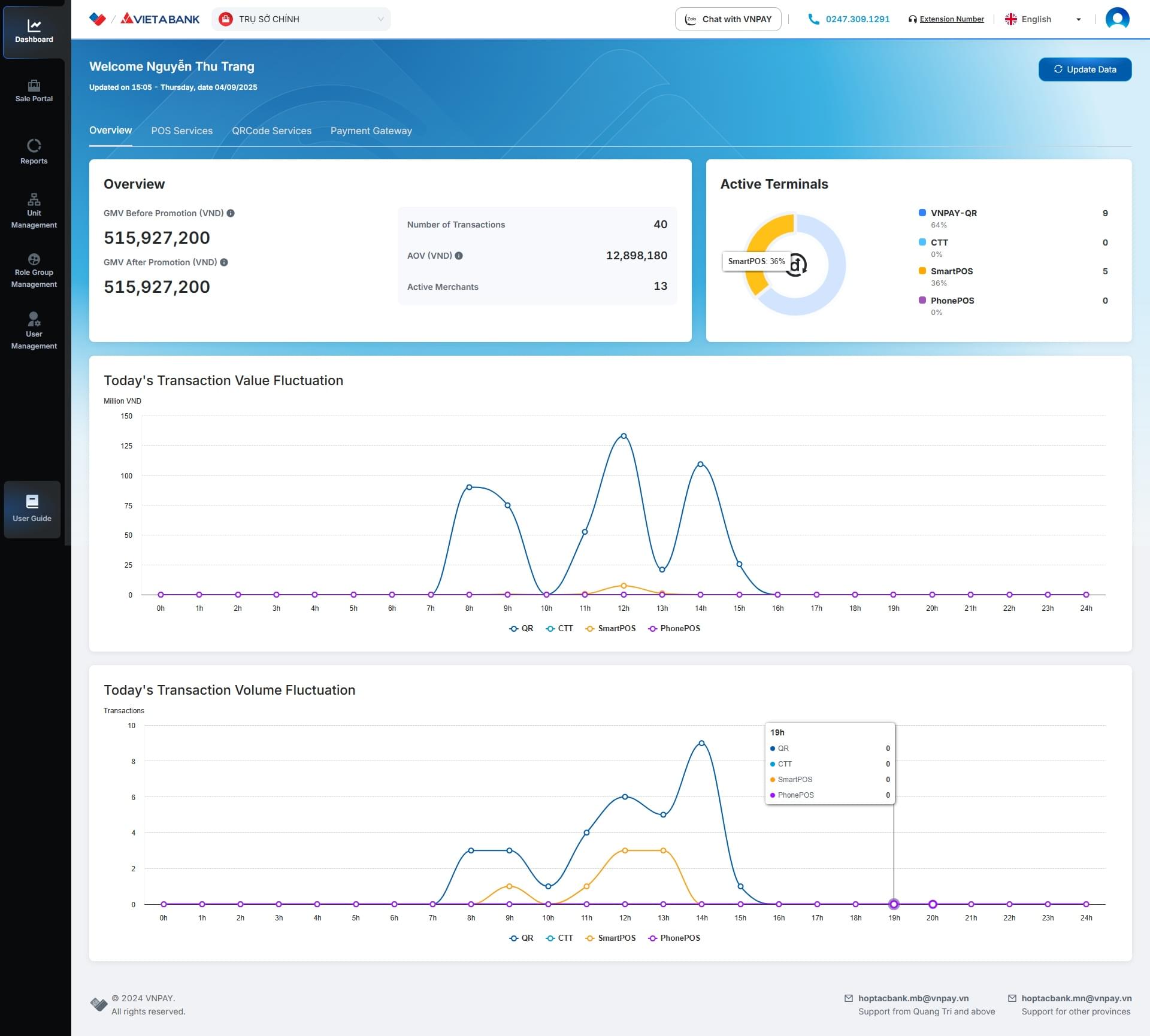
On the Dashboard screen, select the Overview tab.
On the Dashboard screen
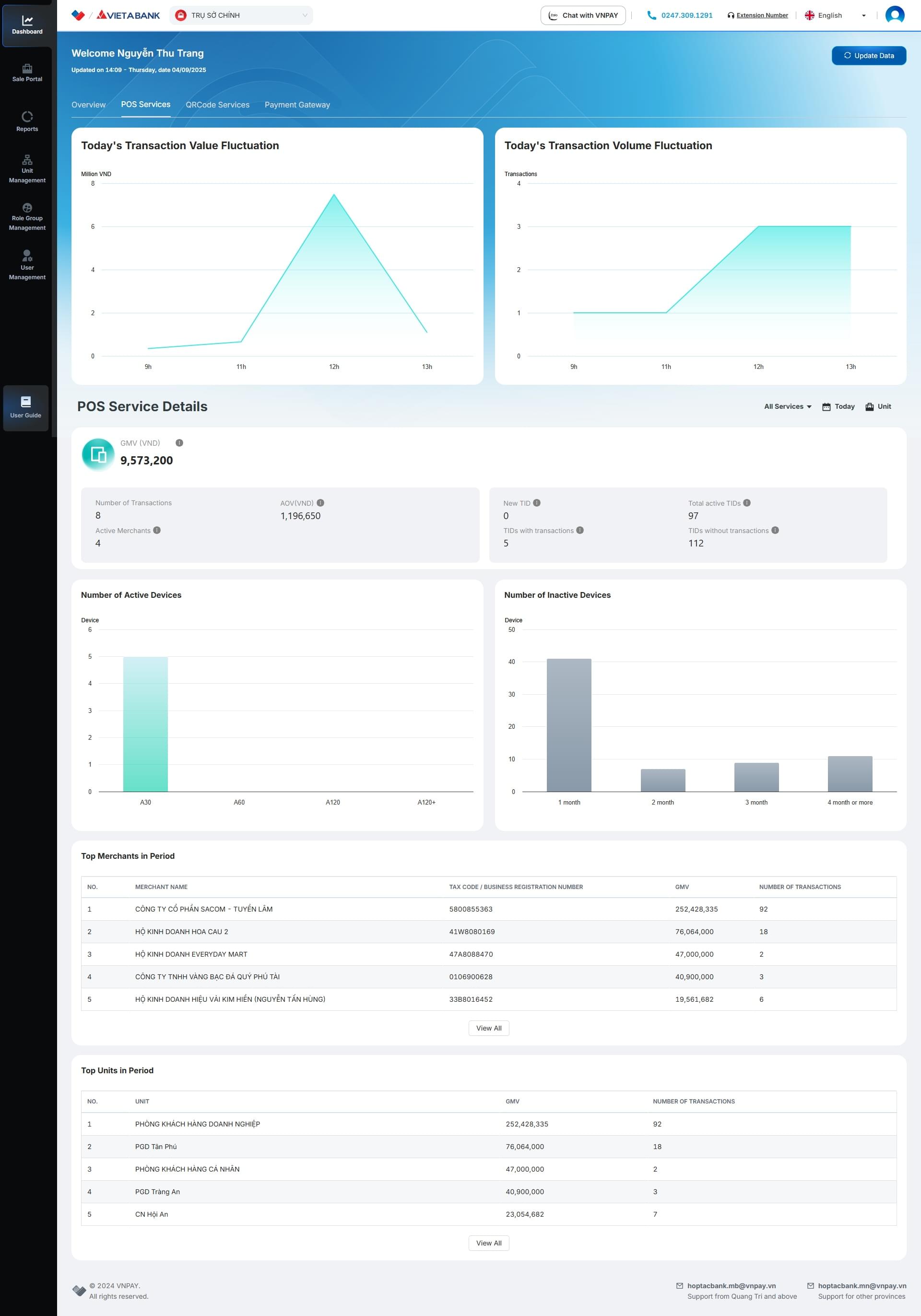
On the Dashboard screen, select the POS Service tab.

Provides an overview of the Merchant (MC) information for SmartPOS and SoftPOS services by Partner, according to the user's department permissions.
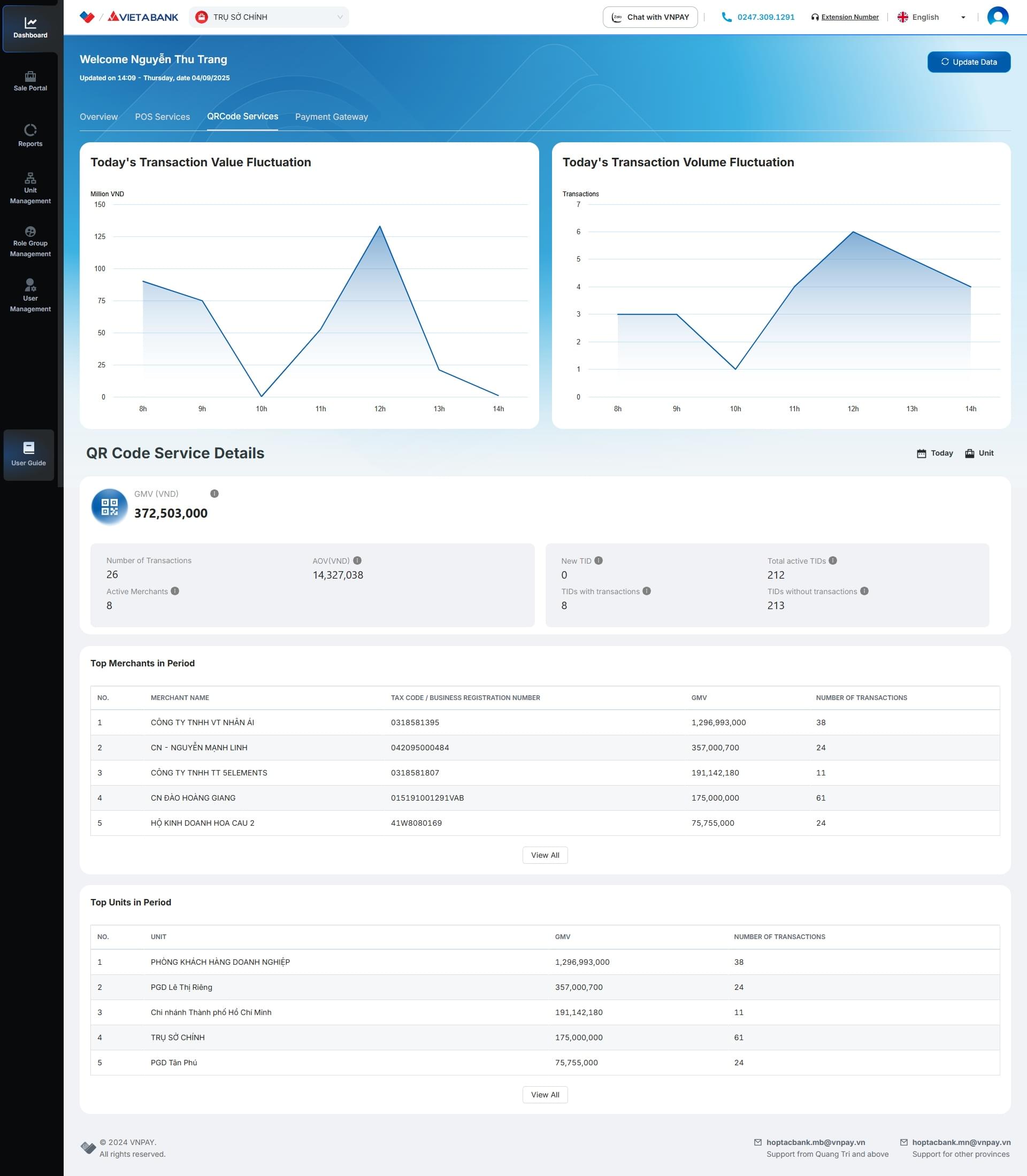
On the Dashboard screen, select the QRCode Service tab.

Provides an overview of the Merchant (MC) information for QRCode service by Partner, according to the user's department permissions.
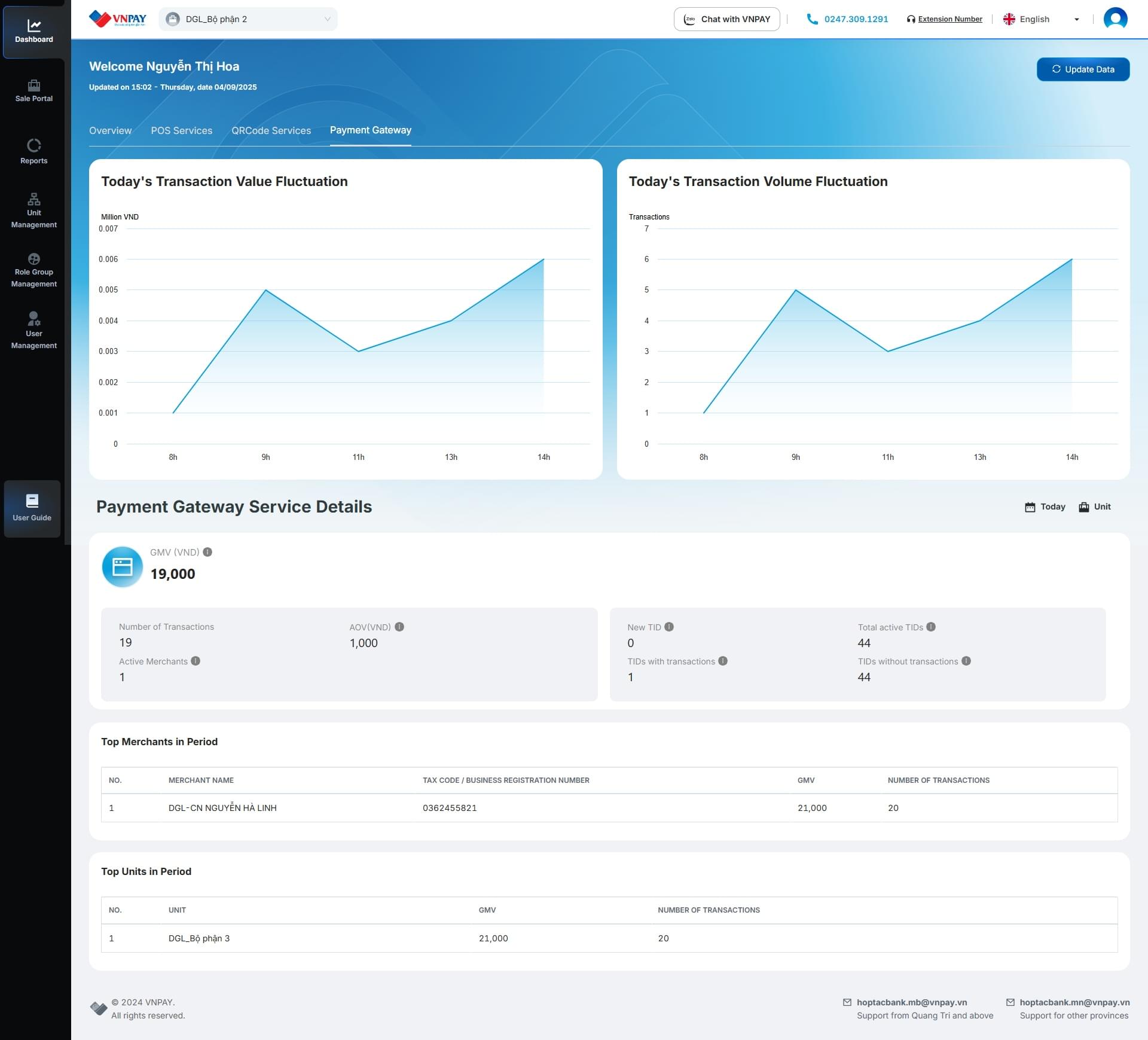
On the Dashboard screen, select the Payment Gateway tab

Provides an overview of the Merchant (MC) information for Payment Gateway service by Partner, according to the user's department permissions.