
 English
 Tiếng Việt

1
On the User List screen
- Enter the search criteria and click [Apply]
- Or click [Apply] directly to display the full user list
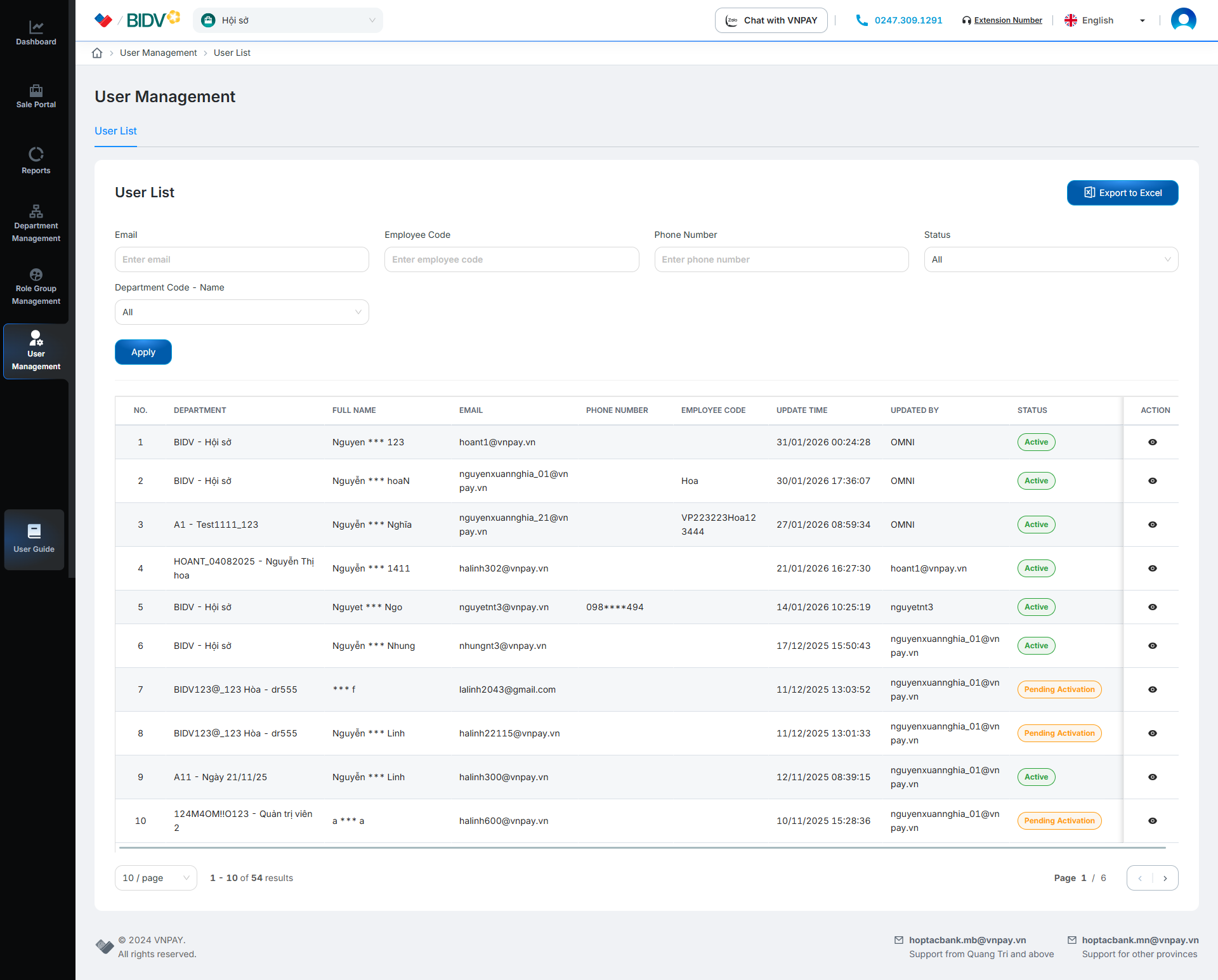
On the User List screen
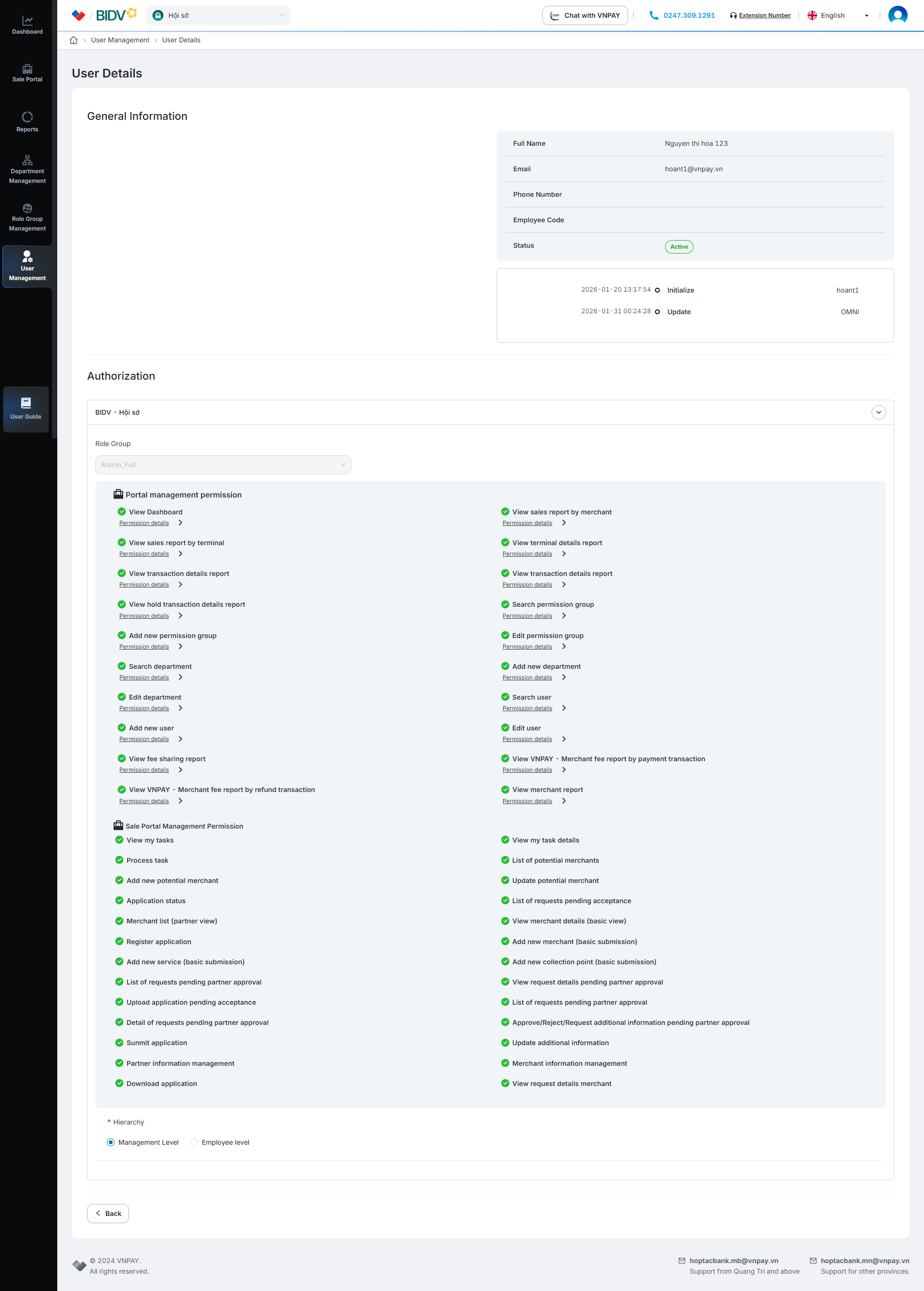
Click the [ ] button to view user details
Click [Export to Excel] to download the exported file to your computer