
 English
 Tiếng Việt

1
Enter your login information: Email/Password
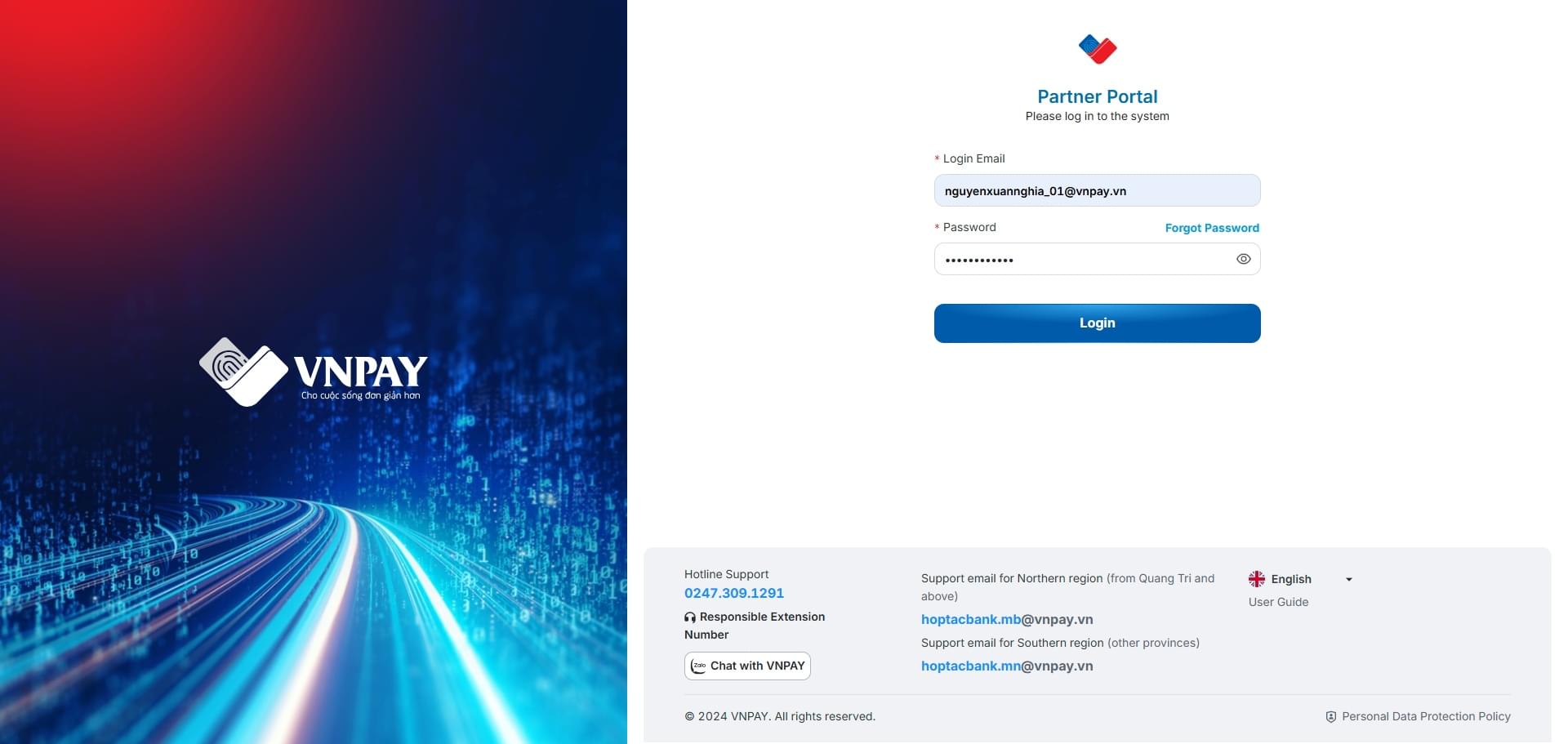
On the Login screen
Enter your login information: Email/Password
Click the [Login] button to access the system
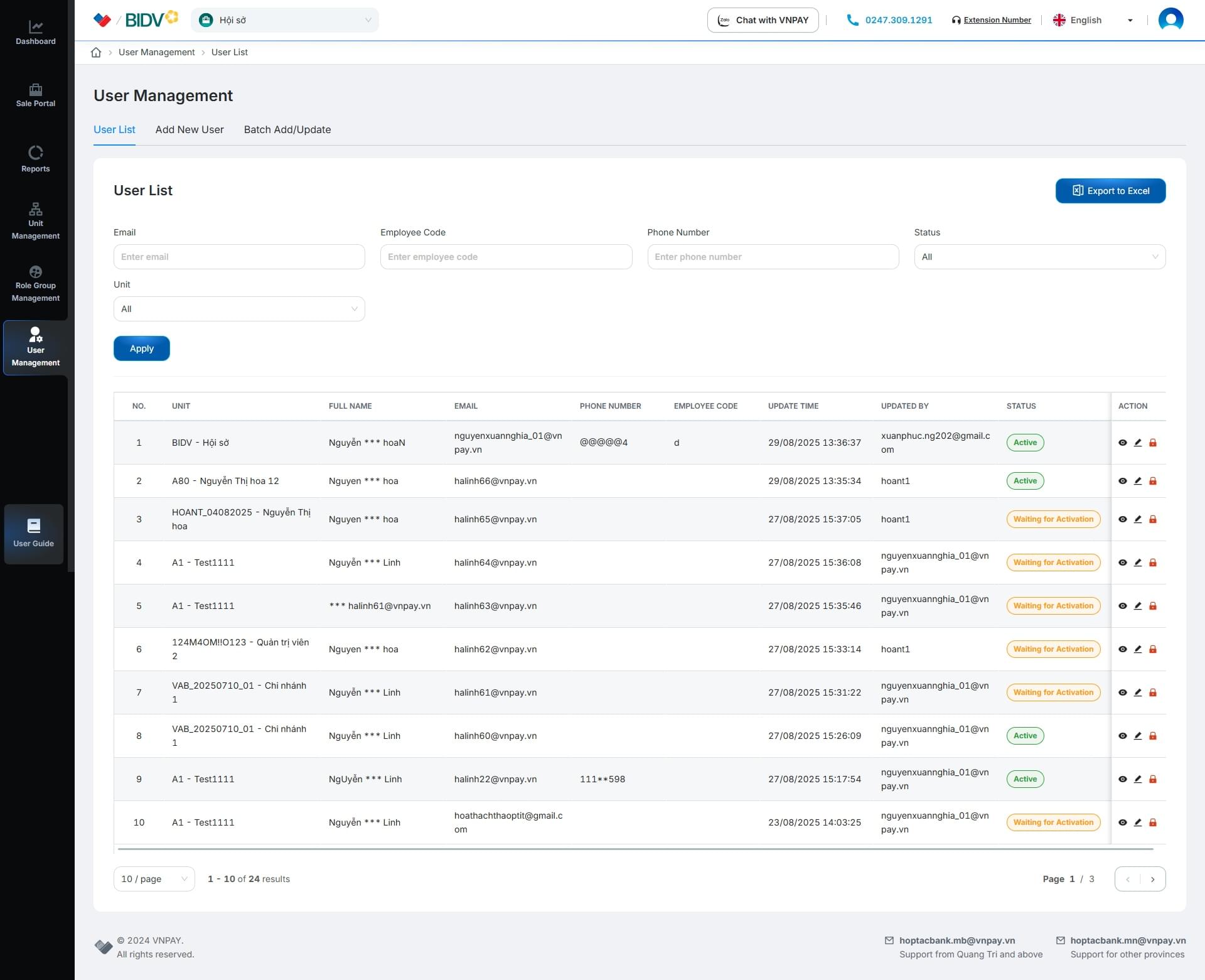
Valid login information – The system will redirect to the homepage
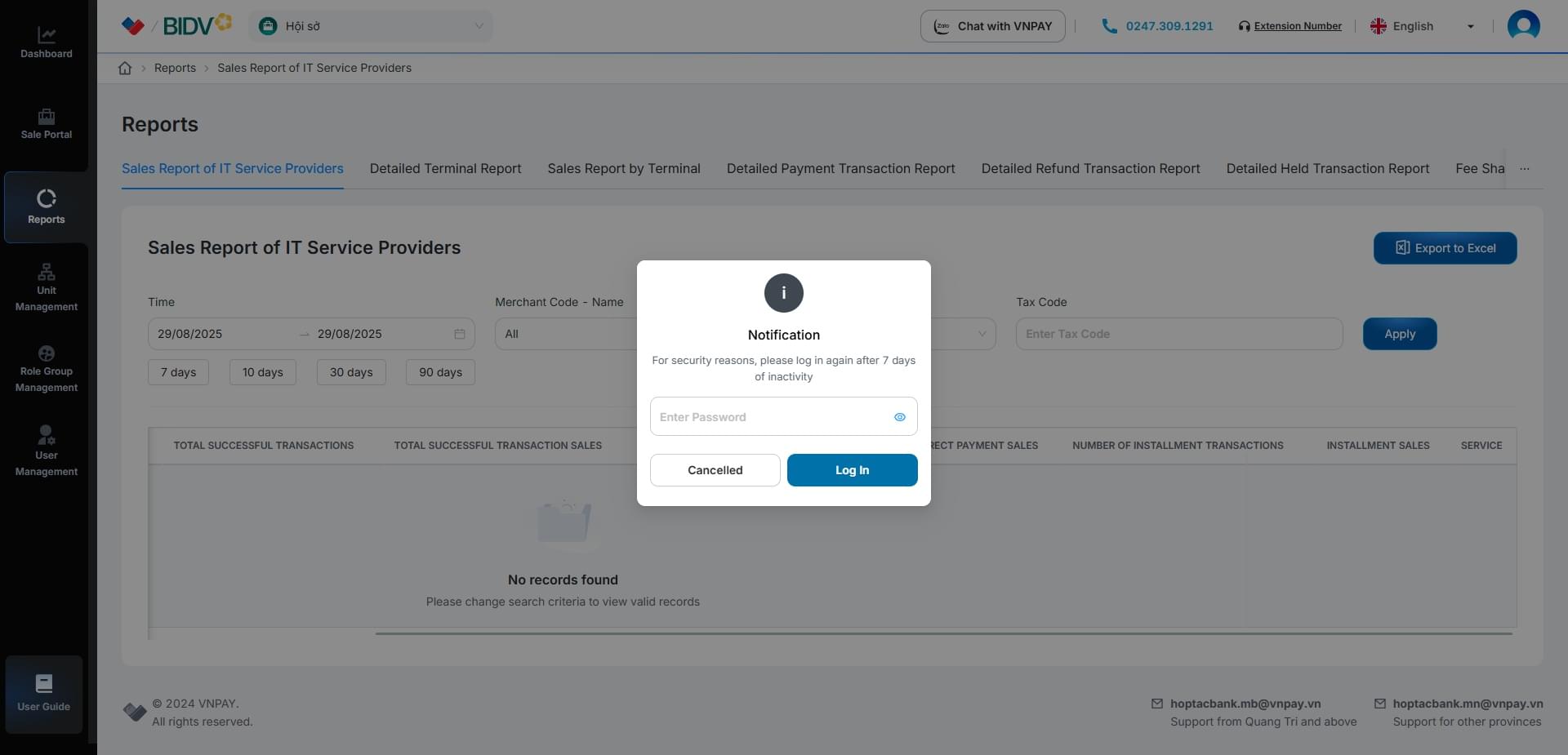
On the working screen, when the session expires, a notification popup will be displayed
Enter your Password
Click [Login] to sign in again
Click [Cancel] to cancel the action and return to the login screen