
 English
 Tiếng Việt

1
The user goes to their email and selects the email with the subject [VNPAY] Activation Partner Account/ Active Partner Account
- Click to view the email details
- Click the Activation Account button
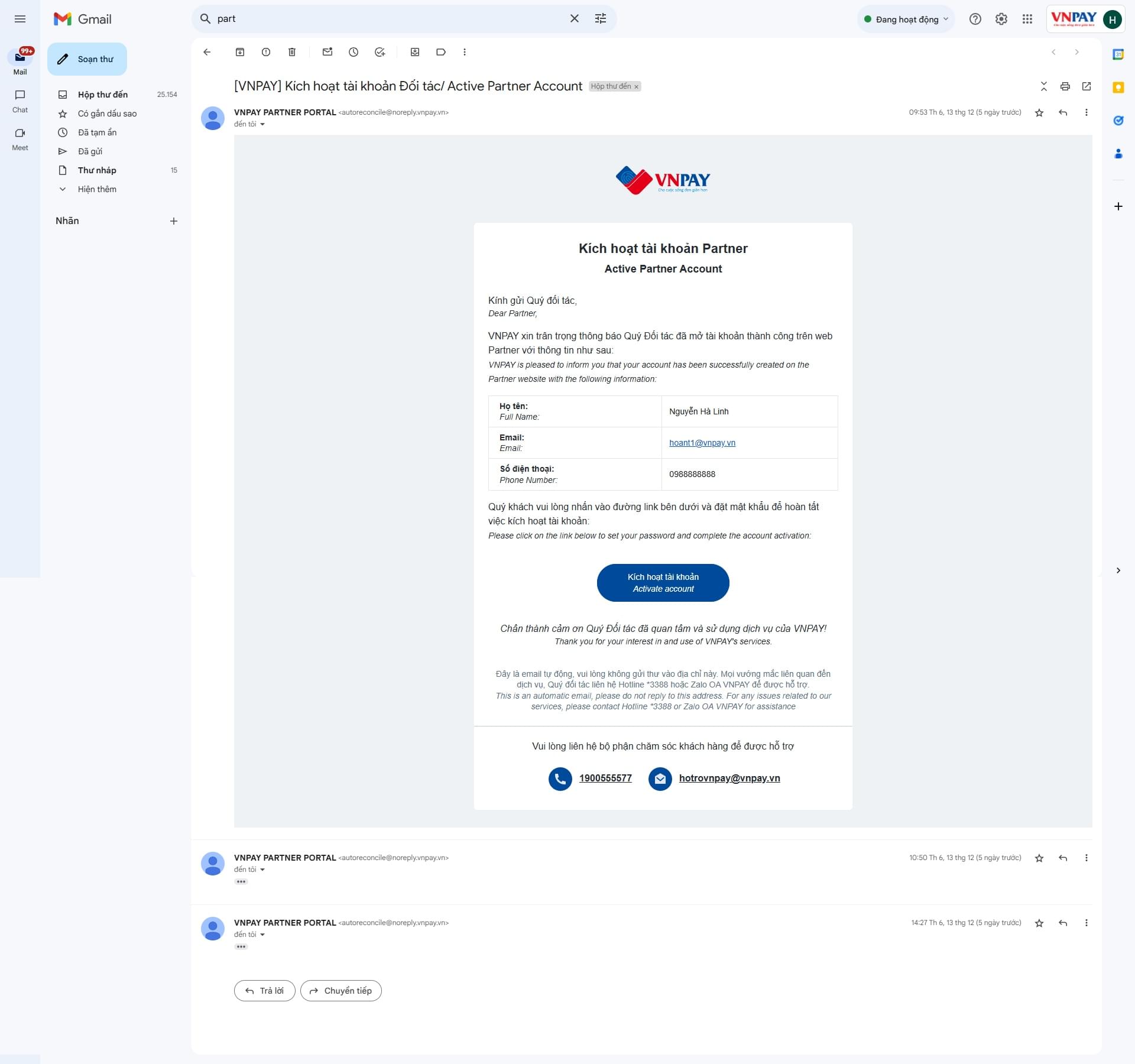
The user goes to their email and selects the email with the subject [VNPAY] Activation Partner Account/ Active Partner Account
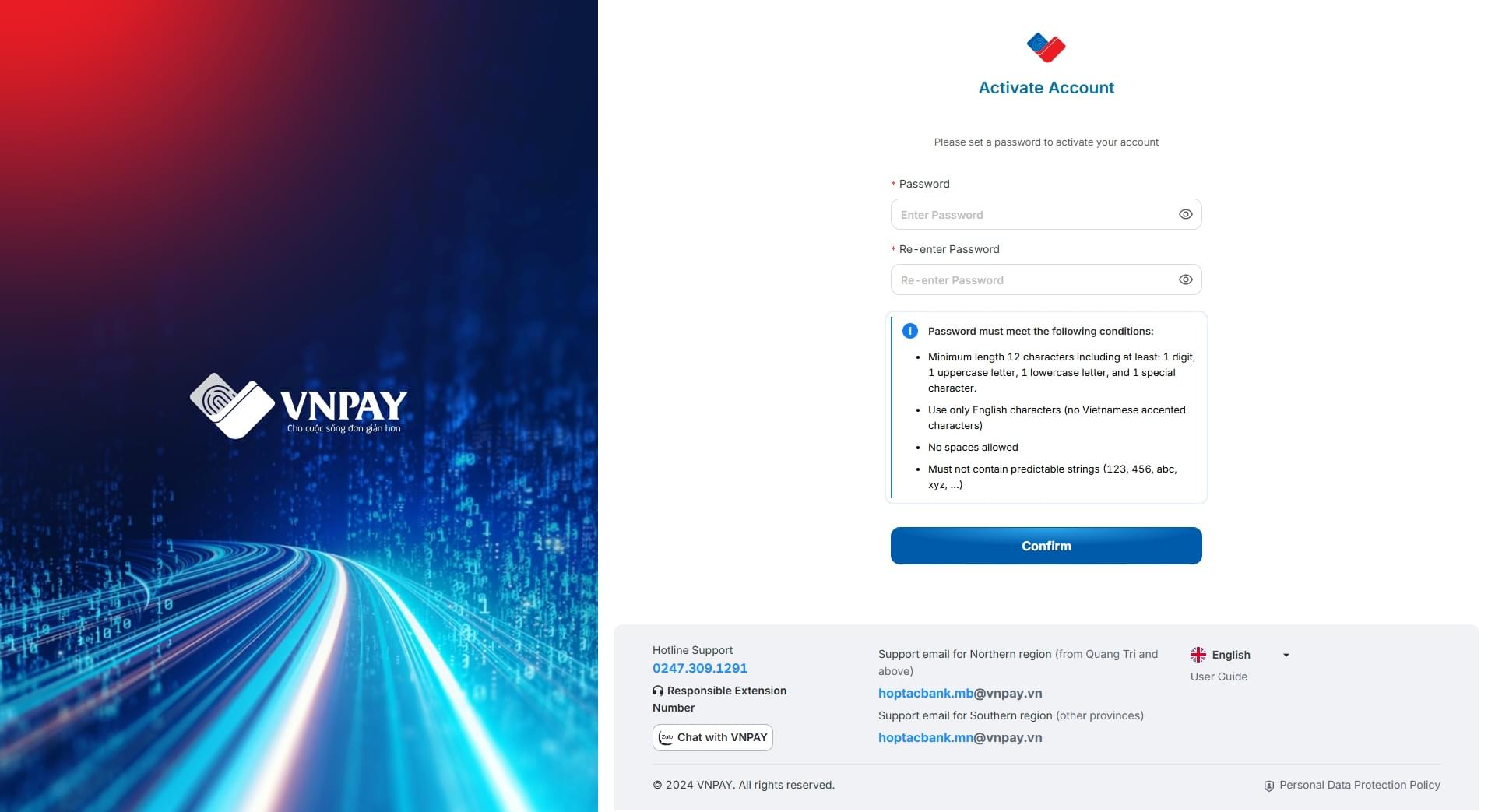
On the Account Activation screen
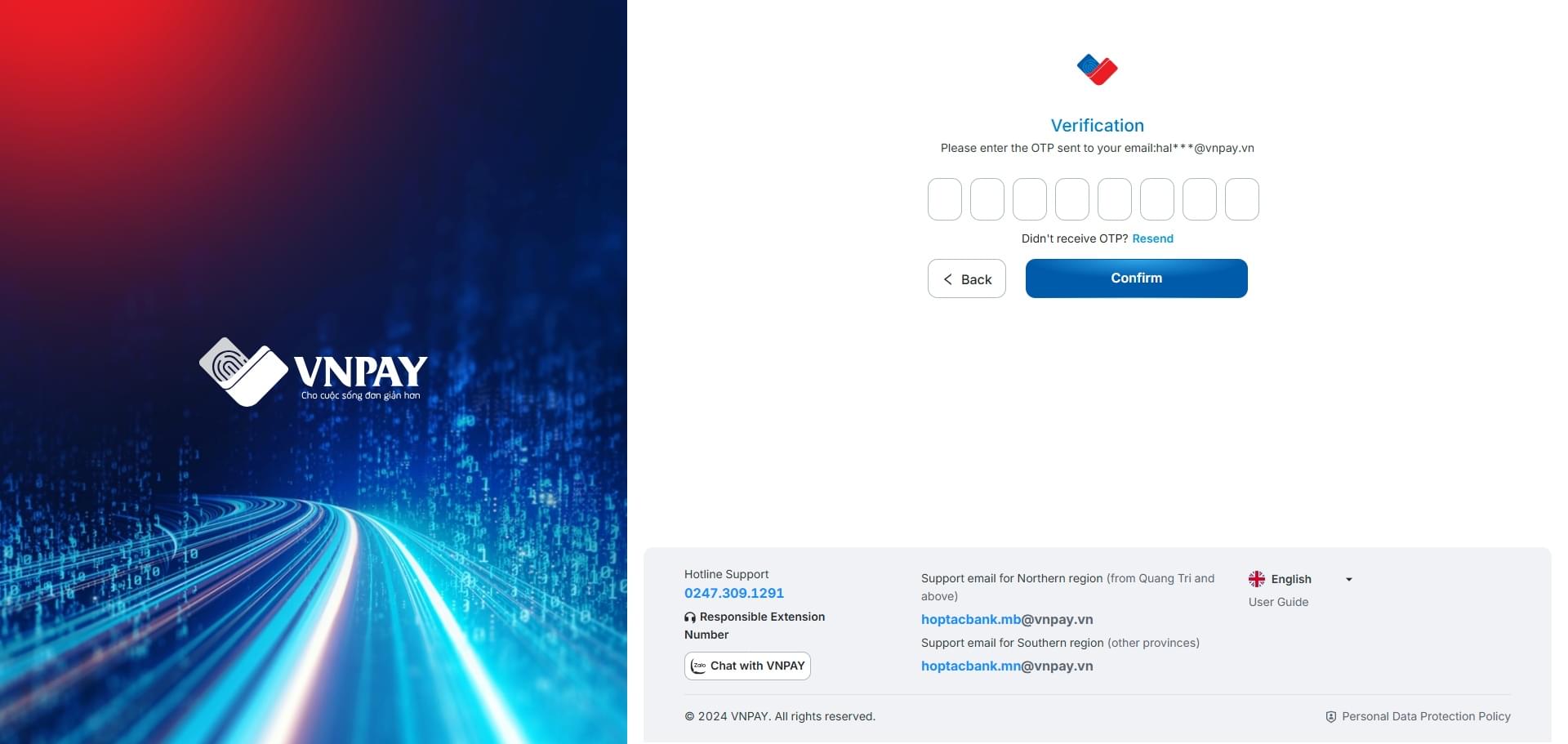
On the Verification screen