
 English
 Tiếng Việt

1
On the function screen
- Hover over the Avatar
- Select Account Information
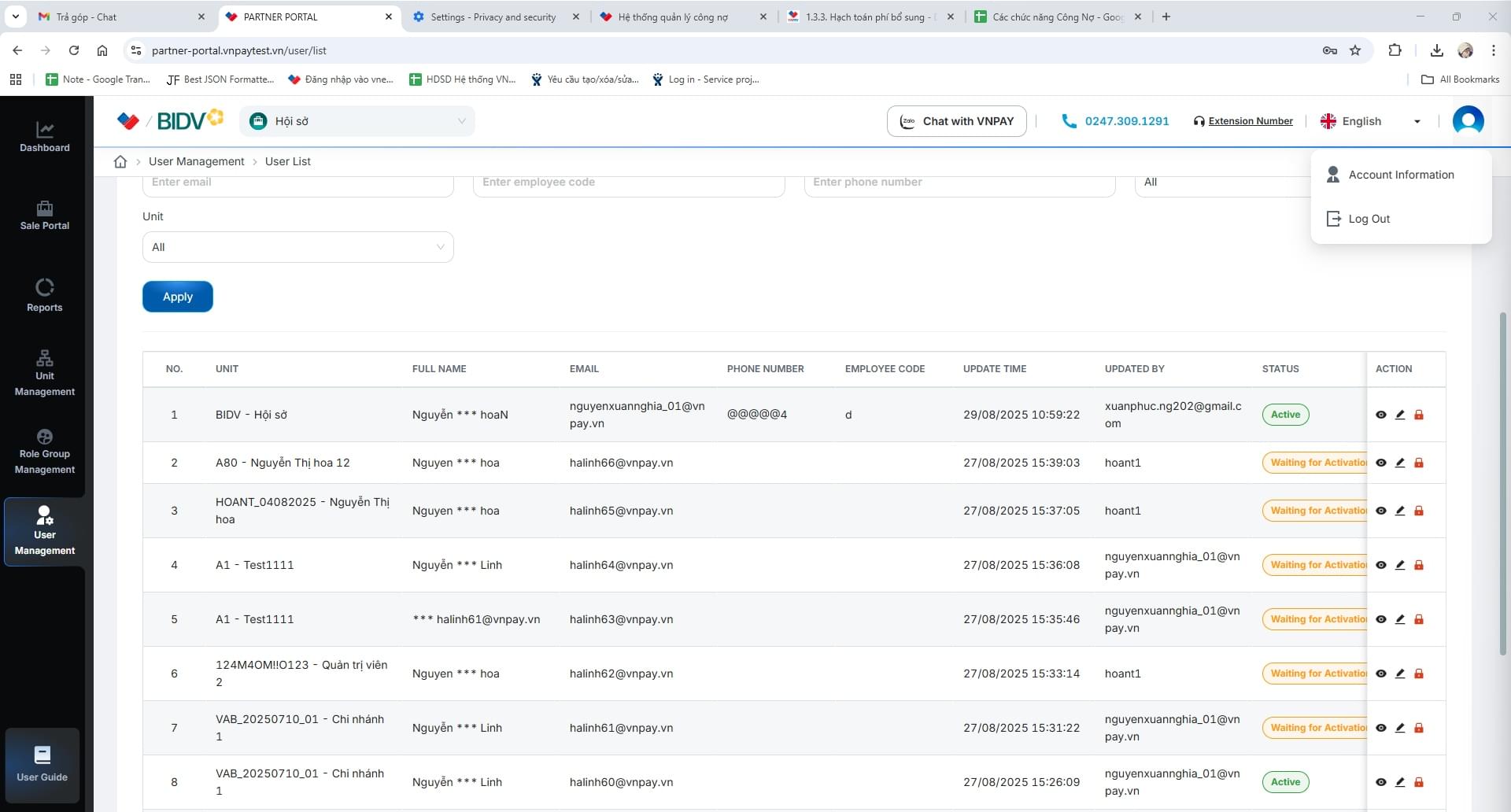
On the function screen
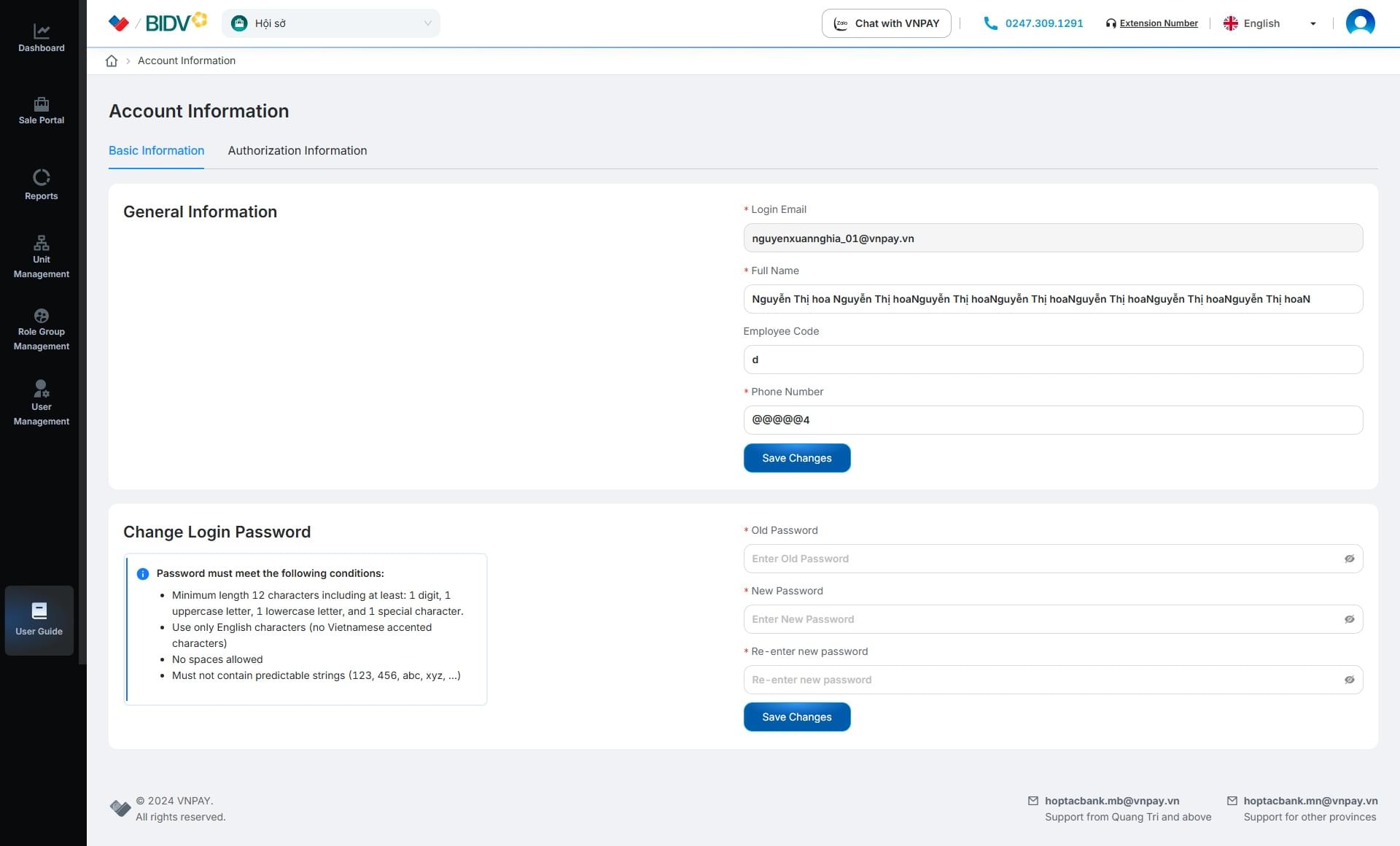
The Account Information screen
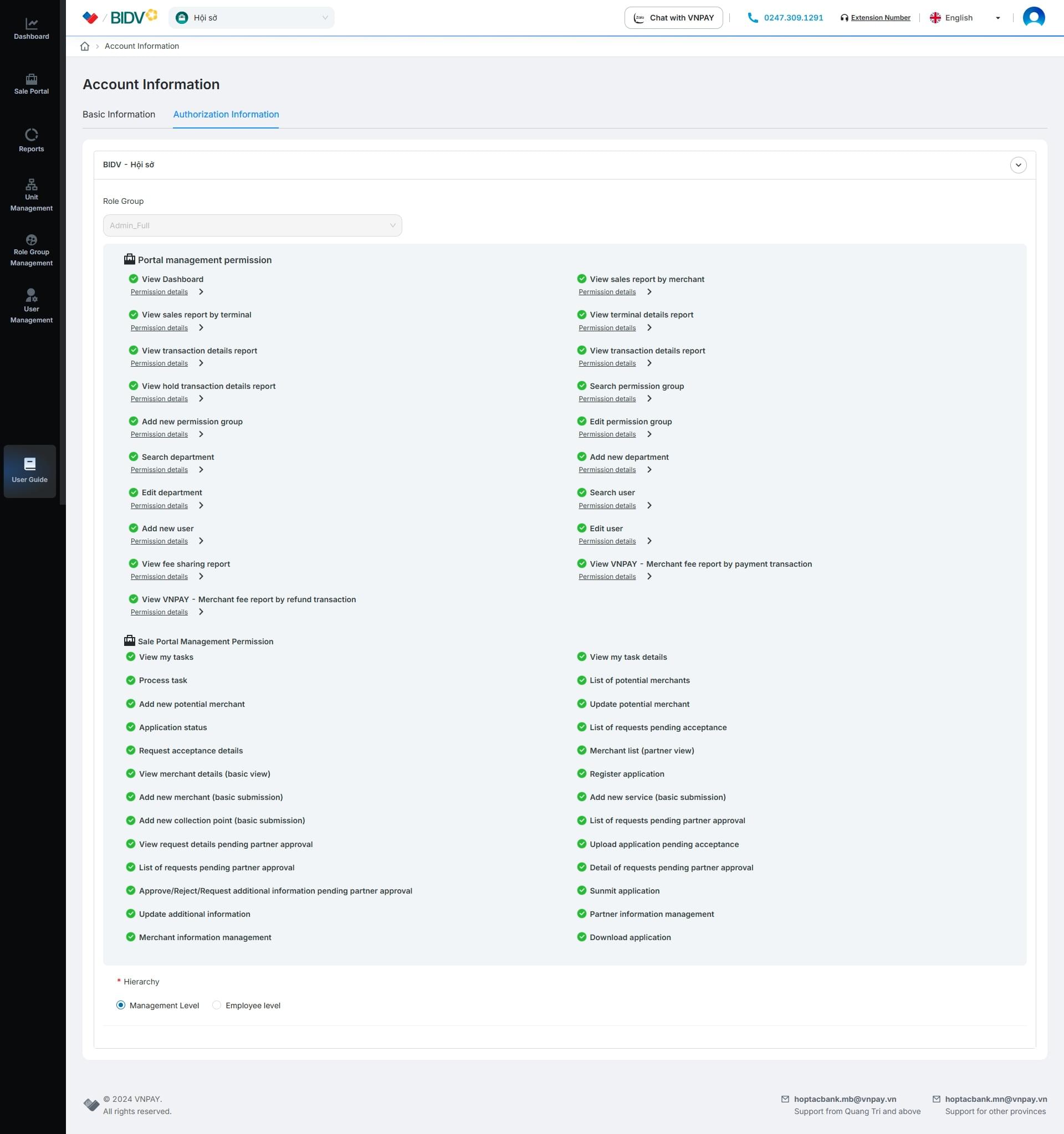
On the Permission Information tab, the user can see which Departments they belong to and what Permissions they have.